
Appearance
VM Basics
Open a terminal
For the work in these docs, open a terminal from the bASICs folder on the desktop: right-click the folder, then choose Open Terminal Here.
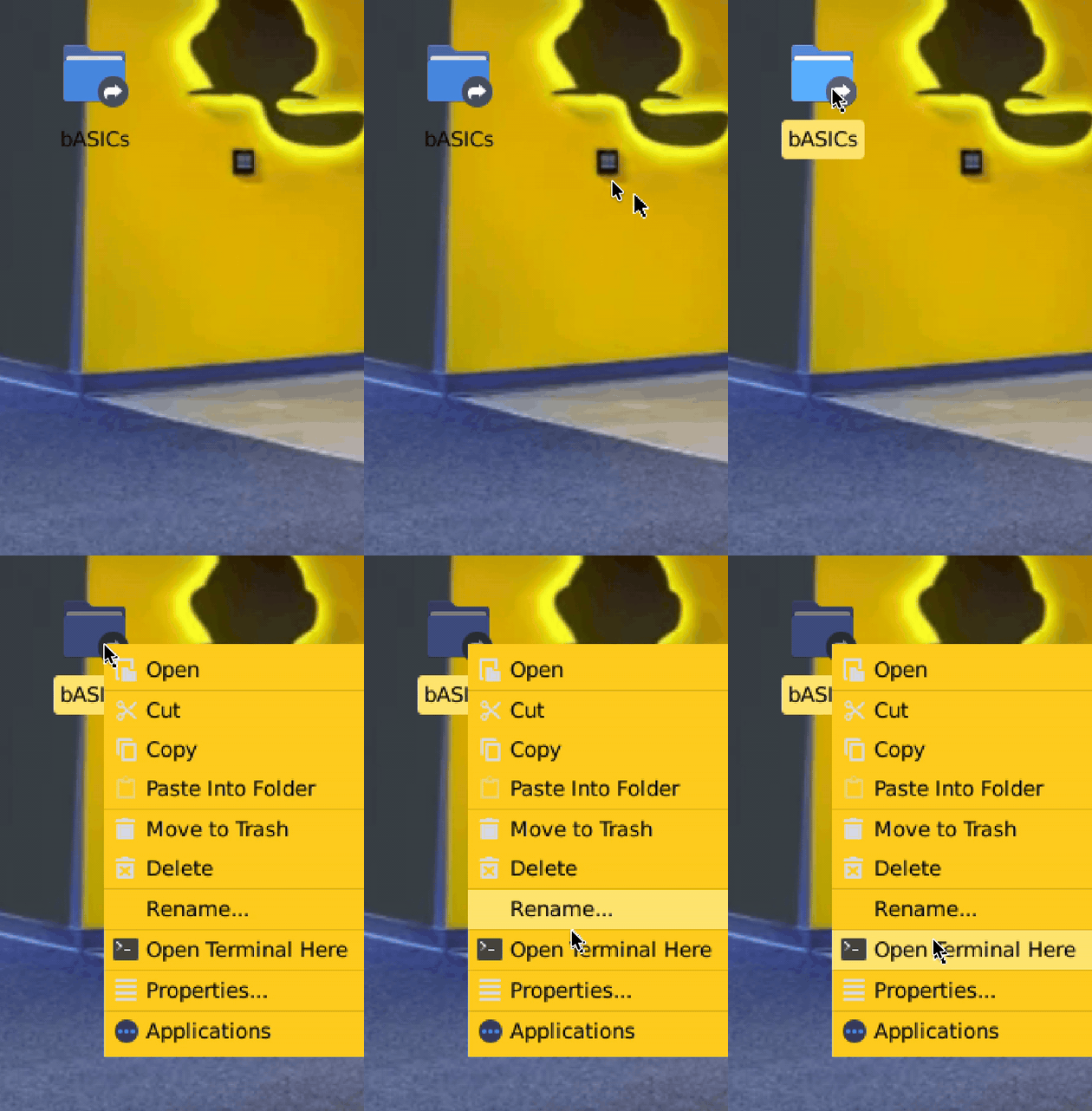
You can also open a terminal from the dock at the bottom, the application menu in the top-left corner, or the desktop right-click menu.
Workspace
The bASICs folder on the desktop and the bASICs folder in Documents both point to the same workspace at /home/beaver/bASICs.
text
/home/beaver
├── bASICs
│   ├── examples
│   │   ├── picorv32a-sky130
│   │   └── sky130-counter
│   ├── templates
│   │   ├── reference-upstream
│   │   └── sky130-rtl2gds
│   └── work
├── Desktop
│   ├── bASICs -> /home/beaver/bASICs
│   └── bASICs-Docs.desktop -> https://basics.alpacawebservices.com
│   └── Go-Board-Simulator.desktop -> https://basics.alpacawebservices.com/go-board-simulator
└── Documents
    └── bASICs -> /home/beaver/bASICs
Only edit files inside ~/bASICs/work. The examples and templates folders are read-only reference folders and cannot be written to.
WARNING
Running flows directly inside examples or templates can fail. Copy the project into work first:
bash
cd ~/bASICs/work
cp -R ../examples/sky130-counter my-sky130-counter
cd my-sky130-counter
PDK
The PDK is configured through $PDK_ROOT. Use that environment variable when a tool asks for the PDK location.
Start with First Counter Flow, then try Adder From Scratch.
Have a Nandland Go Board? Try Your First Go Board Project to make an LED blink and count with the four LEDs.